Wednesday, March 16, 2011

Operational Excellence doesn’t have to be an Either-Or Decision

Six Sigma vs. Lean; Shingo Prize vs. Malcolm Baldrige

Operational excellence programs are not an island among themselvesLean, Six Sigma, and other methodologies and programs are great, but none of them solve all the problems all organizations experience. As an example, Lean doesn’t solve difficult scientific problems with complex interactions. I am a Lean practitioner and certified Six Sigma Black Belt and have used both of them to solve difficult problems, but I don’t wedge my experience with either into every situation or issue I encounter.

Possibly organizations could be better served by the technical community if instead of focusing on a single cookie cutter strategy for improvement for the entire enterprise, they used the one(s) or a blend that best matched their needs, current conditions, and vision for the future. All environments, cultures, and challenges are unique, why should we expect a “one size fits all” program to be the silver bullet?

Friday, February 11, 2011

What is the Cloud?

A view from above the clouds over NevadaI caught a few minutes of a radio show where “the Cloud” was being discussed by tech-savvy guest “promoters” that had a marketing perspective on the cloud. Marketing often equates the cloud to the internet or Google Apps like Gmail and Google Docs and now thanks to recent Microsoft commercials, Outlook and Office.

But is that really what the cloud is all about? That is only a small part of it. The cloud has three primary marketplace stakeholders:

  1. consumer (you and me)
  2. service provider (apps)
  3. cloud provider (infrastructure)

In the case of Google Apps, Google is really a service provider that uses its own cloud to host the applications. Microsoft is a little different. Microsoft is both a cloud provider (Windows Azure) and a service provider with Office and Skydrive in the cloud. It is not uncommon that promoters don’t realize there is a difference and, as a result, blur the distinction and understate the value of the cloud.

Software as a Service

The cloud provides a platform for many vendors to provide their software as a web-based service, instead of the more traditional shrink wrap software that you install on your home or work PC using a CD or DVD. That is an attribute that is shared by both the cloud and the internet.

The following are characteristics that the cloud provides, but the internet may or may not represent.

Dynamically scalable on demand

One of the best examples for its ability to scale up to handle large bursts of traffic is how a company that advertises during the Super Bowl that normally handles 10,000 page visits per day might need to handle a quarter of a million visitors in a just a few minutes.

Multi-located for performance

An application and/or its data may be located in multiple locations across the globe so that when a person uses the system, it detects where they are geographically located and serves up a version from a data center that is physically closer to the user. The shorter the distance the data travels, the faster it gets there.

An additional benefit of multi-location is that other regions will still have access to their programs and data in the event there is a natural disaster like a tsunami (or a government – Egypt blocks all internet and cell traffic) that wipes out internet connection for an entire country.

Replicated for redundancy

Many cloud platforms automatically create multiple copies of a program and its data so that if a piece of hardware fails, or a physical data trunk is cut, the “replica” can immediately take over and serve its users without interruption.

Priced by usage (to the service provider)

Parking meterBy pricing by usage, it provides a near constant pricing scale that grows (or shrinks) as demand changes vs. the traditionally high initial capital cost for servers in addition to maintenance and support costs.

  • Computing cycles
  • memory
  • storage
  • bandwidth

The pricing model to the consumer varies depending on the financial model of the service provider. Some software like Google Apps are free to the home consumer because it is funded by advertisements, but it might be priced on a per person basis for organizations.

Infrastructure Purchase Flexibility

Cloud providers provide the flexibility to purchase the specific services needed:

  • Virtual Machines (VM)
  • Storage
  • Database
  • Service broker
  • Applications

Virtualized

Typically when a service provider purchases cloud services, they are not buying a physical piece of hardware. They are buying (leasing) an address that points to a cloud provider managed virtual server(s). The fact that it is virtualized means the services can be moved around from server to server and location to location by the cloud provider as necessary to improve availability, performance, and maintainability.

Proprietary Operating Systems

Most computers and hosted servers on the intranet are running standard available operating systems. Because of the nature of how the cloud providers allow their service providers to configure their services and to scale on demand, they often don’t run directly on a native Operating System. They often have an intermediary operating system or control layer that has multiple virtual Operating Systems installed or running on top of. Microsoft’s Azure cloud service has what it calls the AppFabric.

Unicorns and Rainbows

a rainbow wall of M&M'sThe Cloud has many benefits to both the consumer and the enterprise, but it’s not without its disadvantages. Until private or hybrid clouds allow clouds to be hosted on your premises maintained by your IT staff, you will have to rely on a third party (or multiple third parties) to protect and maintain your priceless data.


Parking meter photo courtesy lancefisher / CC BY-SA 2.0

Thursday, January 20, 2011

Mocking Change

mocking birdIn software development mocking is a deliberate effort to simulate other system elements, such as a database, with a representation of the element in order to test a portion of the software without interacting with the actual database. Mocking is a tactic to make sure that software works as expected throughout the development process and when changes are introduced.

When facing the implementation of a big change in a business process or initiative, why not mock the elements of the change that might be complex or difficult in order to solicit as much feedback as necessary about what might go wrong or isn’t getting adequate consideration to ensure a positive experience for all the participants and stakeholders?


photo credit: Teddybear Junction / CC BY 2.0

Monday, December 20, 2010

What is your Ultimate Professional Subscription?

swiss-army-knifeIf they offered a 12 month subscription to any or all the tools to equip you to be the best in your profession, what would it include?

Technology

I recently won a contest where the prize was a one year Visual Studio 2010 Ultimate with MSDN subscription. For a person that develops solutions using Microsoft technologies, there is no better prize. It is the Swiss Army knife of Microsoft Development. 

Here’s how I described the prize to my sister in terms she would relate to:

Construction

My brother-in-law is a  general contractor who does a lot of custom construction. He is constantly buying some new piece of equipment that he doesn’t have, but “needs” for this special job. If he had a Construction Equipment Ultimate Subscription, it would mean every time he needed a special tool like a spindle lathe, a vinyl siding cutter, or even a Bobcat, he would just take his subscription card to the local construction equipment store and redeem it for whatever non-perishable supply, machine, or equipment he needed that year.

The concept is really pretty Lean; get what you need, when you need it, in the form you want it.

Leave a comment to let me know what your Ultimate subscription would be.


photo credit: Jesse Sneed / CC BY-ND 2.0

Tuesday, October 19, 2010

Five Ways to Incorrectly Use Technology

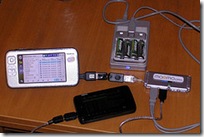
Device with multiple dongles How you adopt technology in your personal life is a personal choice. How technology is used in an organization affects many others, requiring careful consideration to provide its benefits without negative repercussions.

The top five ways organizations incorrectly use technology:

  1. Implement a technology for technology’s sake.
  2. Pick a technology because it is cool, trendy, or new.
  3. Use it to fix a broken process.
  4. Introduce it without adequate trials or testing.
  5. Pick the version with the most bells and whistles.

I’m a big proponent for the use of technology when it is used in a way that truly supports the organization from every perspective. Nobody Likes Bad Change™ in technology, work, or life. Let’s do our part to introduce only good change:

  • use the right technology
  • for a specific process
  • considering the available resources
  • at the appropriate time
  • to achieve the desired outcome


Photo credit: Qole Tech / CC BY 2.0

Friday, October 1, 2010

Closed Data Systems Limit Learning and Improvement Opportunities

tunnel vision Try taking data from a process you are working to improve out of the system you normally use and look at it in other ways. If it is in a proprietary spreadsheet or reporting system that has fixed standard reports and charts, take the raw data out and put it in a clean spreadsheet or database and look at the data from other perspectives.

Slice and Dice the data:

  • Filter
  • Sort
  • Aggregate
  • Graph
  • SPC chart
  • Pivot

Using fixed systems, while good for standardized daily analysis routines, can close our minds to opportunities, exceptions, patterns and trends that can lead to quick improvements and unexpected systemic breakthroughs.

photo credit: brian.chu / CC BY-ND 2.0

Tuesday, September 21, 2010

Three Tactics to Keep Project Activities Moving

electronic personal kanban

Regardless of the Project Management system, activities sometimes sit in the queue or in-process for extended periods of time. A few keys to keeping tasks moving to accelerate accomplishment are:

  • Break up larger activities into smaller subtasks. For example: break “resolve content management system issue” into “investigate CMS issue”, “identify possible fix”, “apply fix”, “verify the problem is resolved”.
  • Make the system more visible. The advantage of whiteboard systems is they are in line of sight more than electronic systems that are multiple clicks away. What gets watched often gets improved. The down side of physical systems, is they may not be portable and visible from other locations or by other people at a distance.
  • Collaborate with or solicit help from other people with more expertise or knowledge about the subject matter. Often technical people feel they are responsible for resolving issues themselves. Don’t be an Answer-Man Super Hero.

Lean Project Management is a comprehensive methodology based on Lean principles to minimize Work in Process (WIP) while maximizing valuable project completion.

There are a variety of tools that can help facilitate a Lean Project Management process. You can use spreadsheets, databases, Personal Kanban white boards, or any of the commercial or open source software based systems. Recently I have been experimenting with flow.io because of its simplicity. Cautionary note: Lean Project Management is about much more than a tool or software product.

No Lean system or process is perfect right out of the box. It is important to start simple and jump in and start learning your way to a system that meets your needs and the needs of your stakeholders.